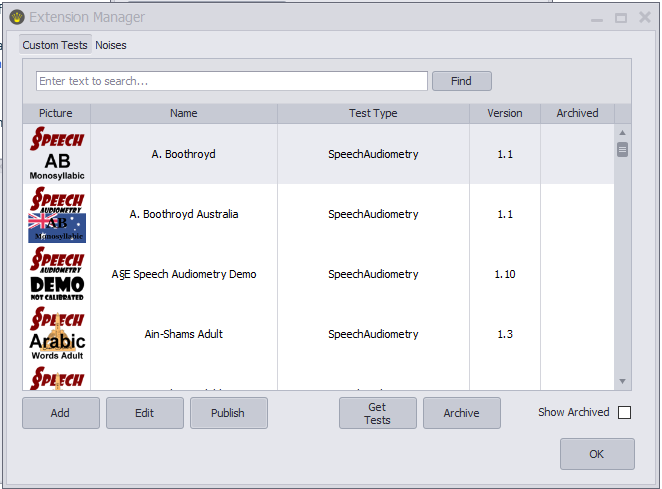
 | Extensions (or .auqext files) are files containing content, such as speech lists, but also noise files, norm curves, and A§E identification, discrimination, or detection tests. The content is usually created by Otoconsult, so you don’t have to create it yourself. Pre-built extensions can therefore help you save a lot of time. Thanks to these ready-to-use auqex files, you can upload this content to Audiqueen in just a few clicks (see the support page on installing ready-made playlists). But of course, you can also create your own content for your own use (see, for instance, the support page on making your own speech test) , and if you wish, you can publish it as an auqext extension so that others can download it. |
Users with administrator rights can manage the extensions. For this, open the Administrator Tools.
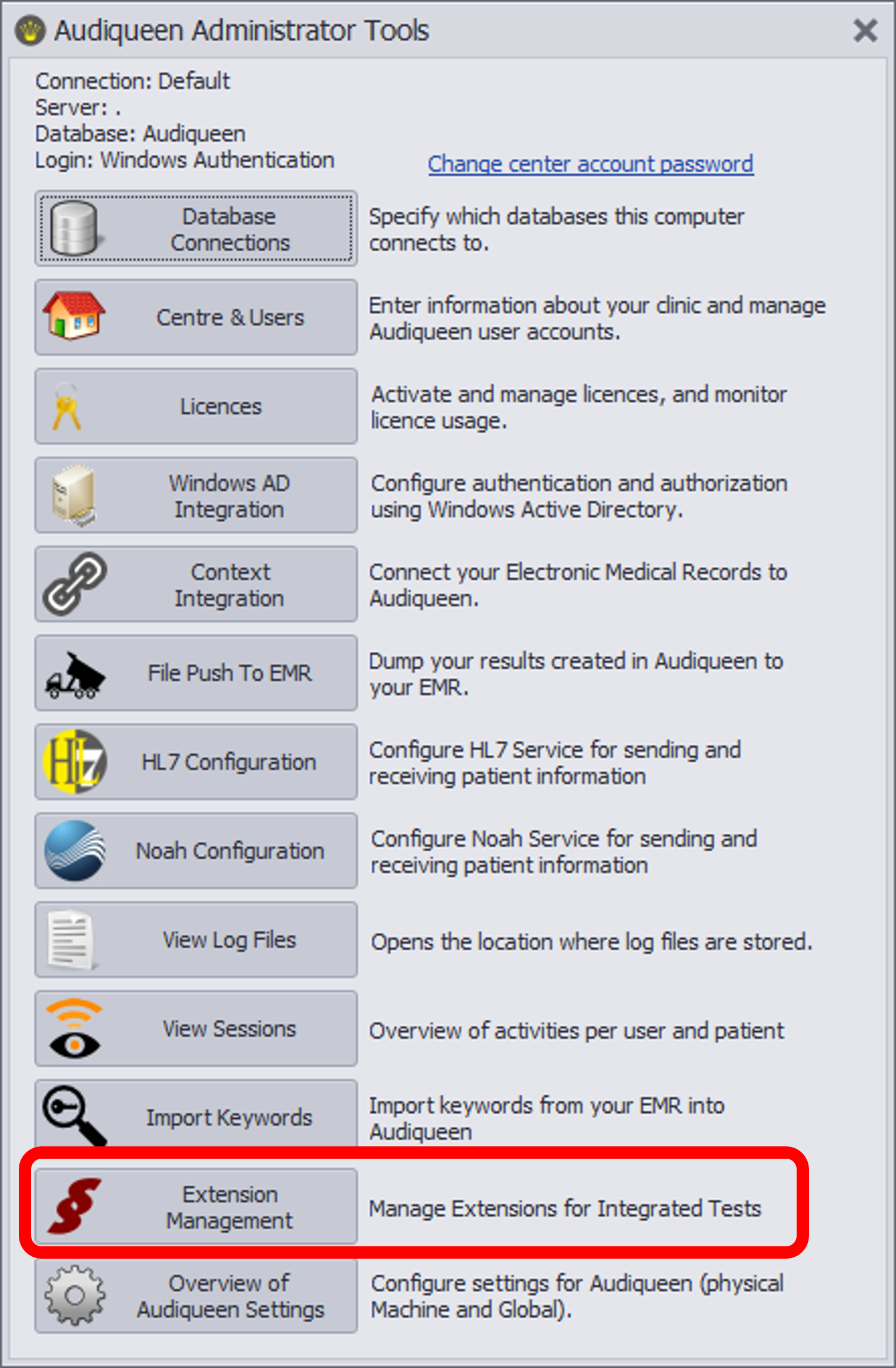 | In the Administrator Tools, open Extension Management... And click on the corresponding tab to manage Custom Tests, Noises, or Adaptive Methods 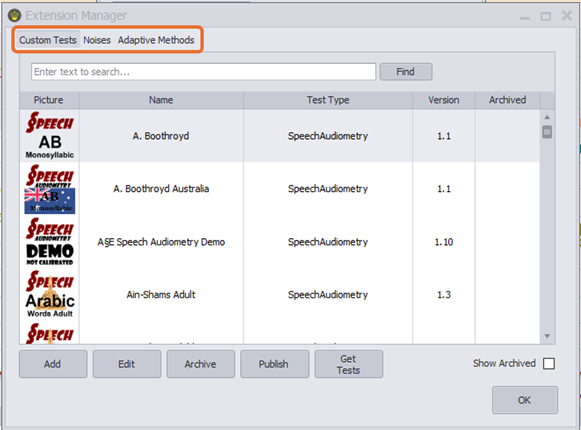 |
You can perform a number of management tasks:

Archive
An extension can be archived so that it is no longer available in Audiqueen. To do this, select the extension from the list and click the Archive button. You can always restore archived extensions. To do so, tick the ‘Show Archived’ checkbox. You will then see the archived extensions. Select the extension you wish to restore and click the Dearchive button. The extension will now be available again.

Get Tests
When you click the ‘Get Tests’ button, Audiqueen connects to Otoconsult's server containing all available extensions (internet required). You will then see a list of
- extensions that have not yet been installed
- extensions installed on your Audiqueen that are up to date
- extensions that are installed on your Audiqueen but for which a more recent update is available
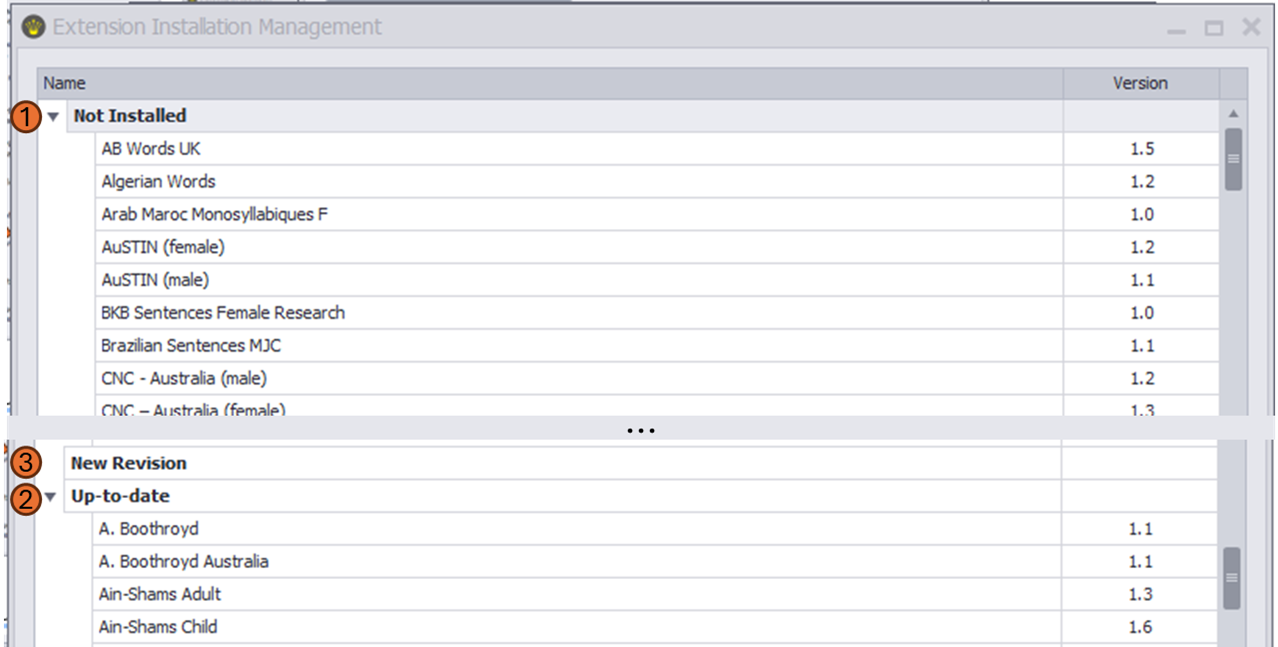
You can update or install an extension by selecting it and then clicking ‘Install’.
Please note that you can only install extensions that you have created yourself or for which you hold a licence. See also the support page on copyright protected speech material.
Edit
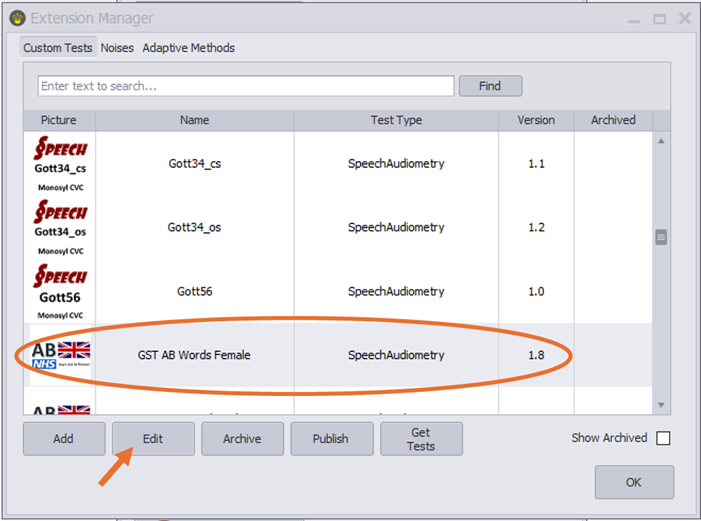
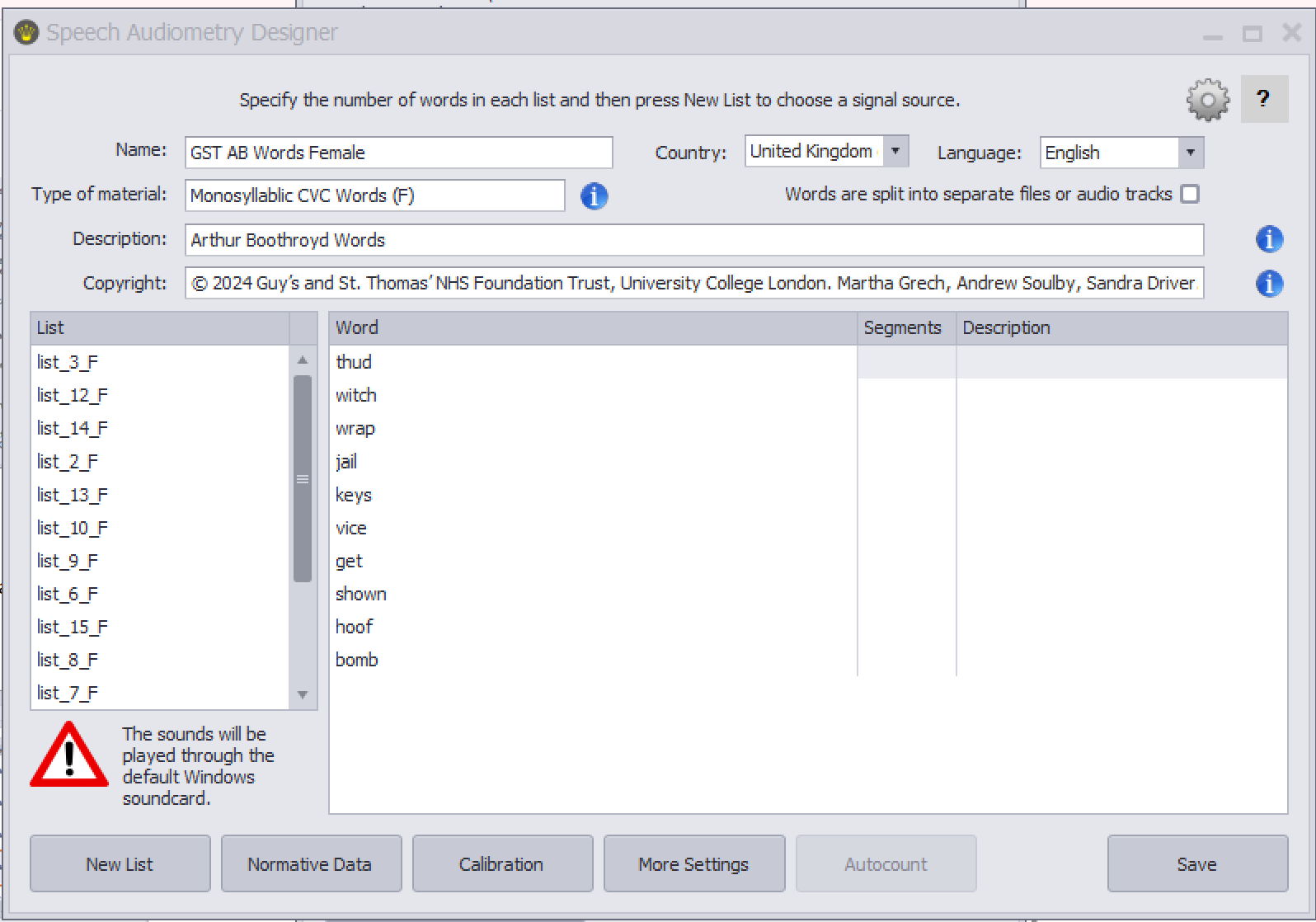
This is to modify the content of an extension, for instance of a word list that is used for speech audiometry. You can only make changes to extensions that you have created yourself. You cannot edit extensions that were created elsewhere and that you have loaded from an auqext file. If these are speech lists, you can still edit a limited number of parameters using the ‘Format’ button on the ribbon. Please see the relevant support page for more information.
To modify an extension that you own, i.e. that you have created yourself in Audiqueen (see below under CREATE), select the test and click on Edit.
 |  |
Publish
If you have created your own content (e.g. a list of sentences for speech audiometry), you can publish it as an auqext file. If you send this file to other Audiqueen users, they can load it into their own Audiqueen with just a few clicks. Please note that the other centre can only use your test if they have a licence issued by Otoconsult. Otoconsult will only issue such a licence with your consent.
Create
You can create your own tests using the Audiqueen test engines. You provide the test sounds and, where necessary, the images, and Audiqueen will then play the sounds to evaluate hearing. This is possible for speech tests and for A§E detection, discrimination, and identification tests (see support page). If you wish to share these tests with other centers, you can “publish” them as an extension that others can then install.
You can find instructions on how to create those tests on the following FAQ pages:
| Speech Audiometry | Click here... to create your own lists with words, sentences, ... |
| A§E detection | Click here... to create your own sound detection test (yes/no forced-choice) |
| A§E discrimination | Click here... to create your own sound discrimination test (odd-ball paradigm) |
| A§E identification | Click here... to create your own sound identification test (forced-choice multiple-choice picture-pointing paradigm) |
 | This feature is not available in the web viewer. Audiqueen's web viewer displays the results entered in Audiqueen's Workstations. |
Was this article helpful?
That’s Great!
Thank you for your feedback
Sorry! We couldn't be helpful
Thank you for your feedback
Feedback sent
We appreciate your effort and will try to fix the article